 Keyvane
Organised by client
Clients, then projects, then environments. Fifteen templates for the accounts you actually use, from Firebase and Play Console to .env files and Wi-Fi.
Keyvane is the client-account vault for developers, freelancers and agencies. Every client login, API key and 2FA code is encrypted on your device and stored wherever you choose — your own iCloud Drive, Google Drive, Dropbox or OneDrive, your own WebDAV or S3 storage, or just the device. TechHigh never receives your vault.
iPhone · iPad · Mac · Android
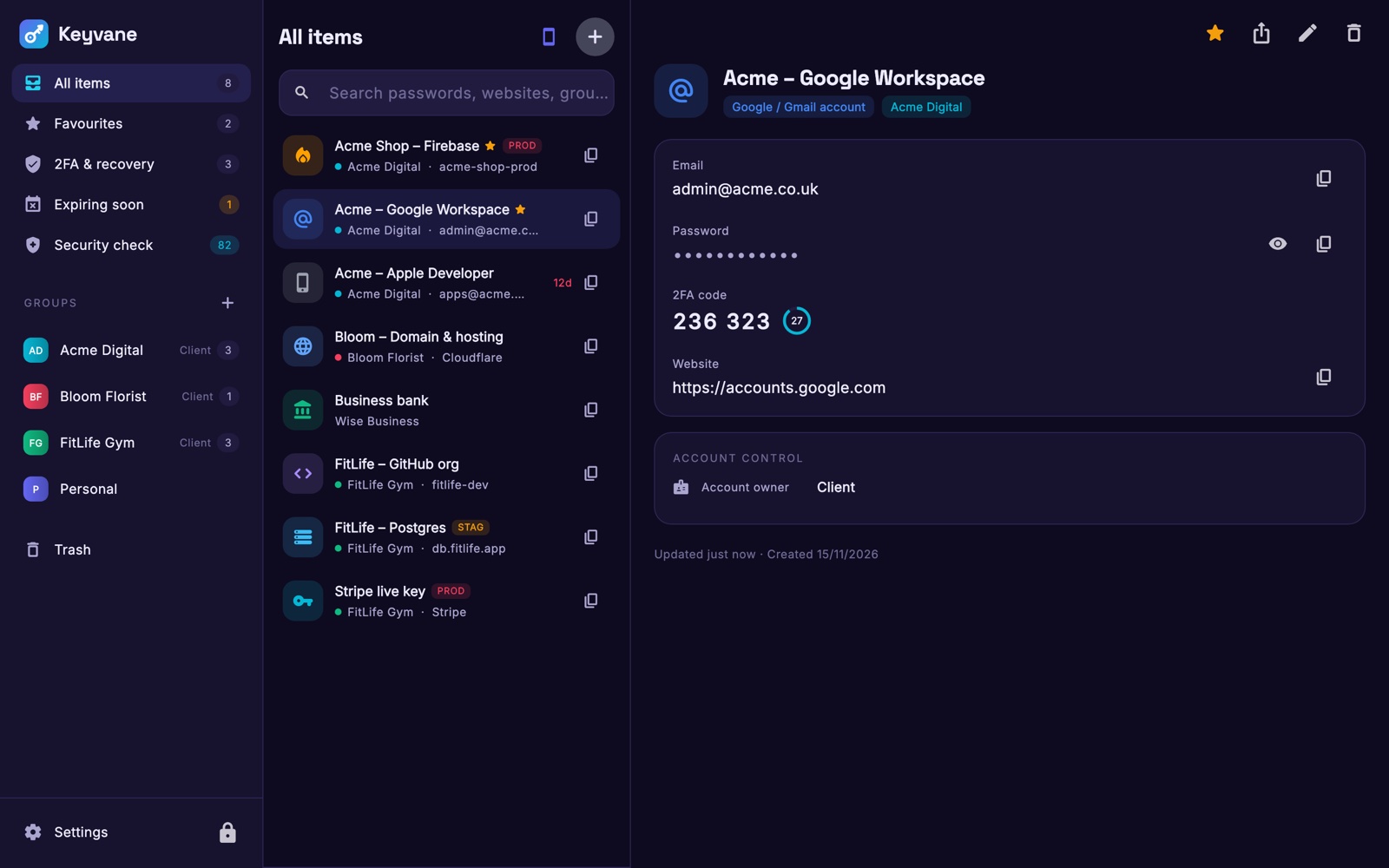
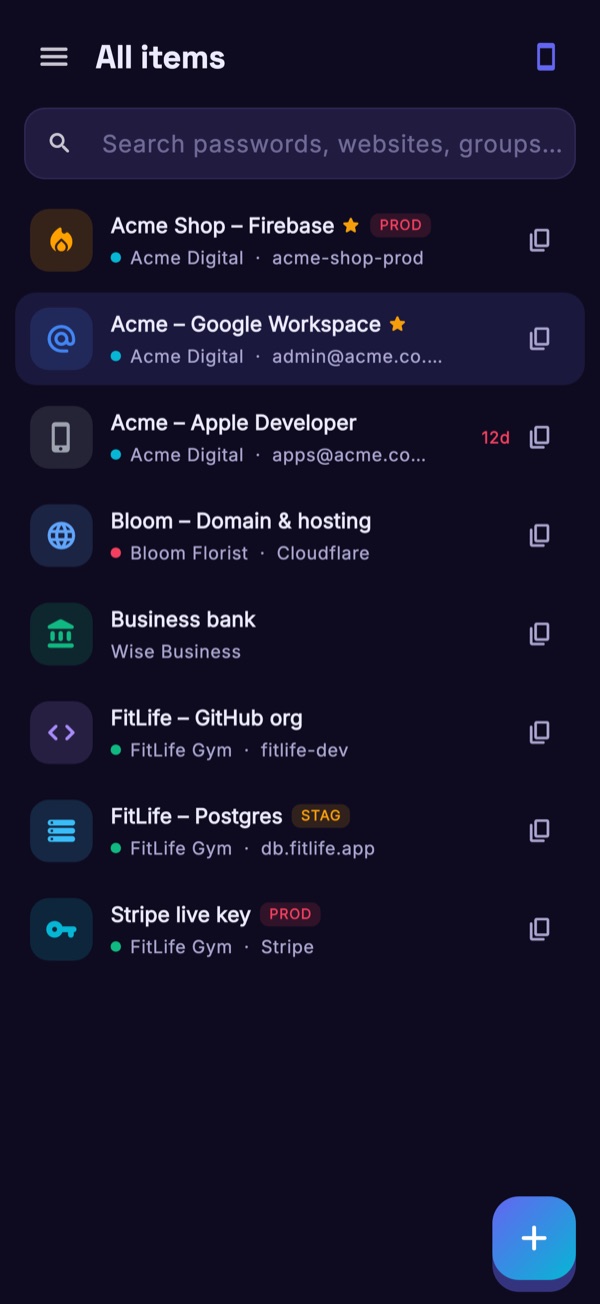
Logins, API keys, 2FA codes and expiry dates, grouped by client and environment. Swipe through the real app.
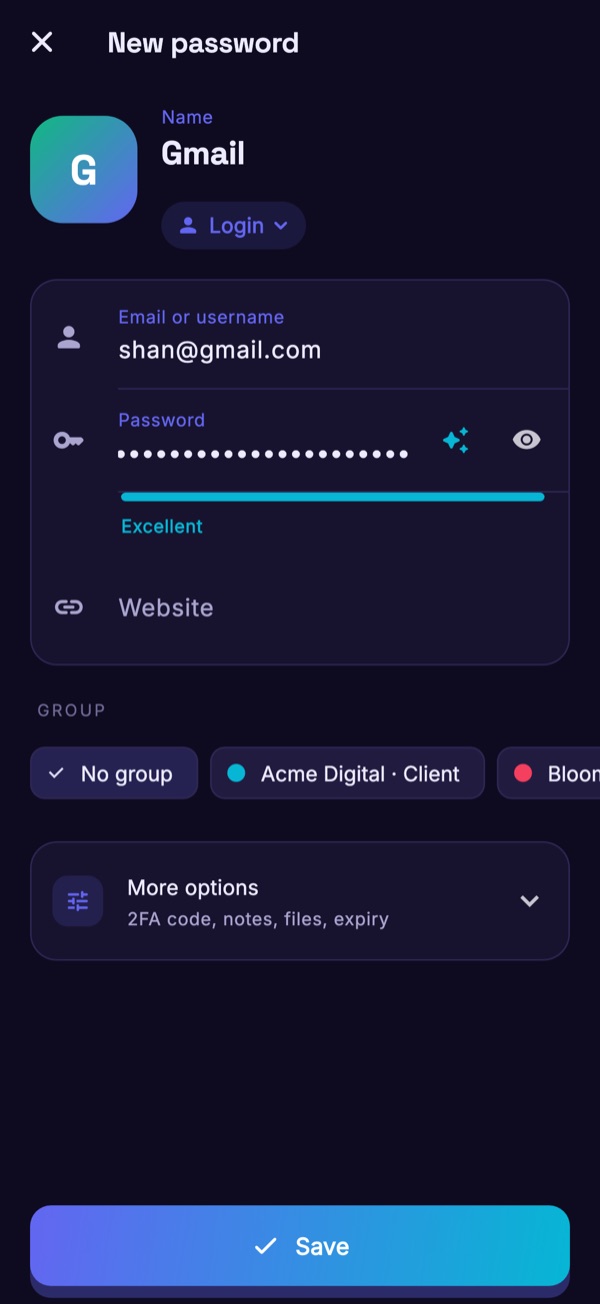
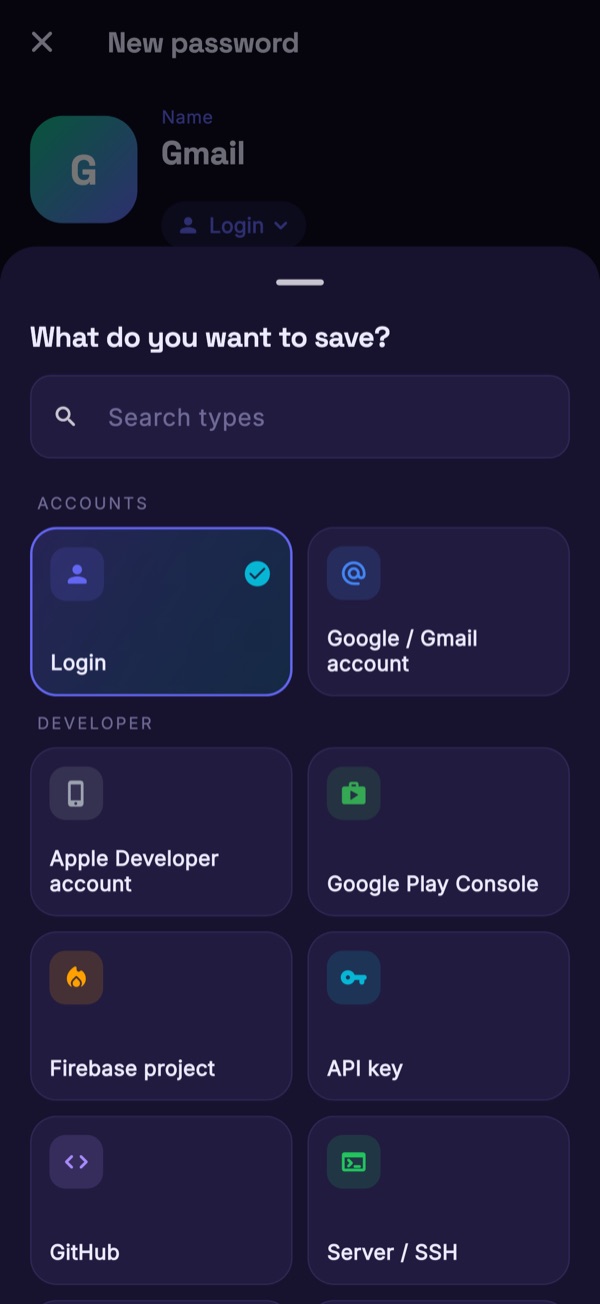
Agencies and freelancers juggle dozens of client accounts: Workspace, Firebase, cloud and API keys, GitHub, Apple Developer, Play Console, hosting, banks. Today they live in spreadsheets and chat threads. Keyvane gives them a proper home.
Clients, then projects, then environments. Fifteen templates for the accounts you actually use, from Firebase and Play Console to .env files and Wi-Fi.
Encrypted on your device before anything is saved. TechHigh never receives your vault, and your storage provider only ever holds an encrypted file.
Pick where the vault file lives and move it any time. Works offline; the cloud is just a mirror.
"Zero knowledge" means nobody but you can read your vault — not the company that made the app, not the cloud that stores it. Here is how Keyvane gets there.
It stays in your head. It is never sent anywhere and never written to disk.
A long random code, kept in your device's keychain and printed on your Emergency Kit. On Apple devices it is also saved in your iCloud Keychain, so a new iPhone, iPad or Mac only asks for your master password. It never goes in the vault file and is never sent to TechHigh or to your storage provider.
Argon2id combines them. Because the Secret Key adds 160 bits of randomness, a stolen vault file cannot be guessed, even if your password is weak.
Everything is encrypted with XChaCha20-Poly1305 on your device. Only then is the file saved to the storage you chose.
The honest trade-off. If you lose both your master password and your Emergency Kit, nobody can recover your vault. Not TechHigh, not your storage provider. That is the point — and it is why the app insists you print the kit and re-checks your password every 14 days so you do not forget it.
Full details, including the file format and threat model, are on the Security page.
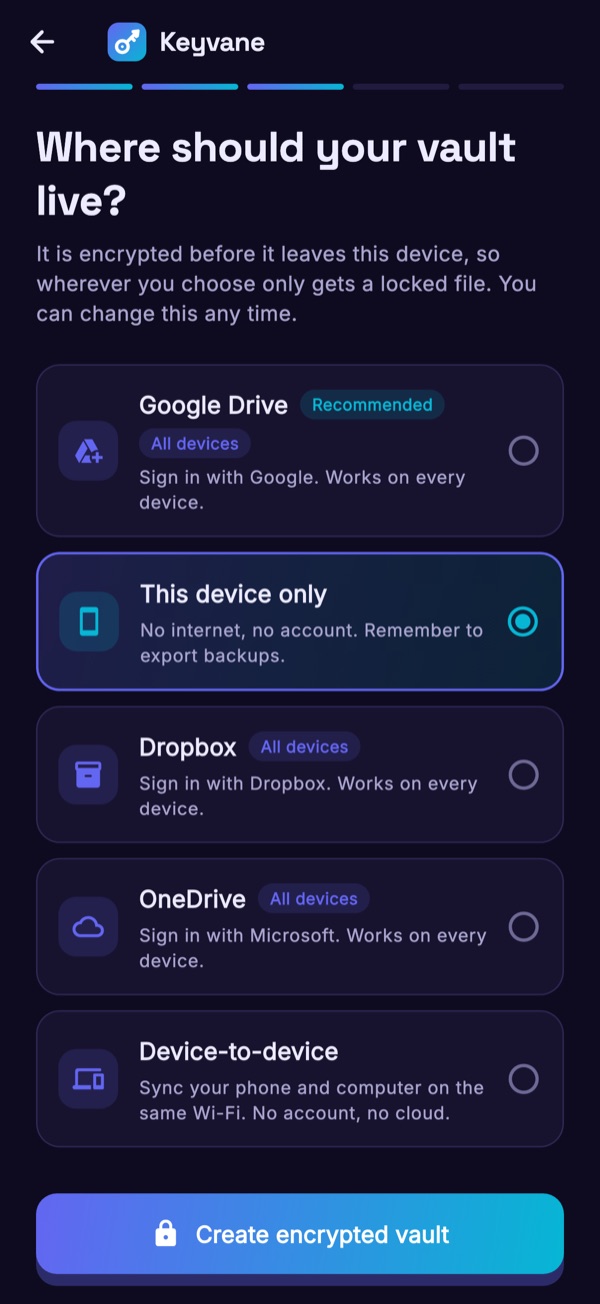
You choose at sign-up and can move any time. Keyvane only shows the options your platform supports. Every option receives the same file, encrypted on your device before upload, and your provider's own privacy policy applies to it. Google Drive access is limited to a hidden app-data folder and Dropbox and OneDrive access to their Apps/Keyvane folder, so Keyvane cannot see your other files.
Local-first. There is no Keyvane server in the middle: your device talks directly to the storage you chose. The vault opens, edits and autofills offline. Sync merges changes from every device and keeps a history, so nothing is lost when two devices edit the same item.
"Who owns this account?" "Whose phone has the 2FA?" "When does the certificate expire?" "Can you hand everything over?" Keyvane answers them.
Group every credential by client, project and environment (production, staging, development). Tags, favourites and search across everything.
Mark each account as owned by you, the client or the agency. Record the 2FA method, who holds it and where the backup codes are. No more "ask Sarah".
Generate time-based codes in the vault, scan QR codes, import from Google Authenticator. Keep the secret with the login it belongs to.
Developer memberships, signing certificates, API keys, domains: set an expiry date and get reminded before it bites.
When a project ends, export an encrypted pack for the client with just their accounts, plus a rotate-and-revoke checklist. History never travels with it.
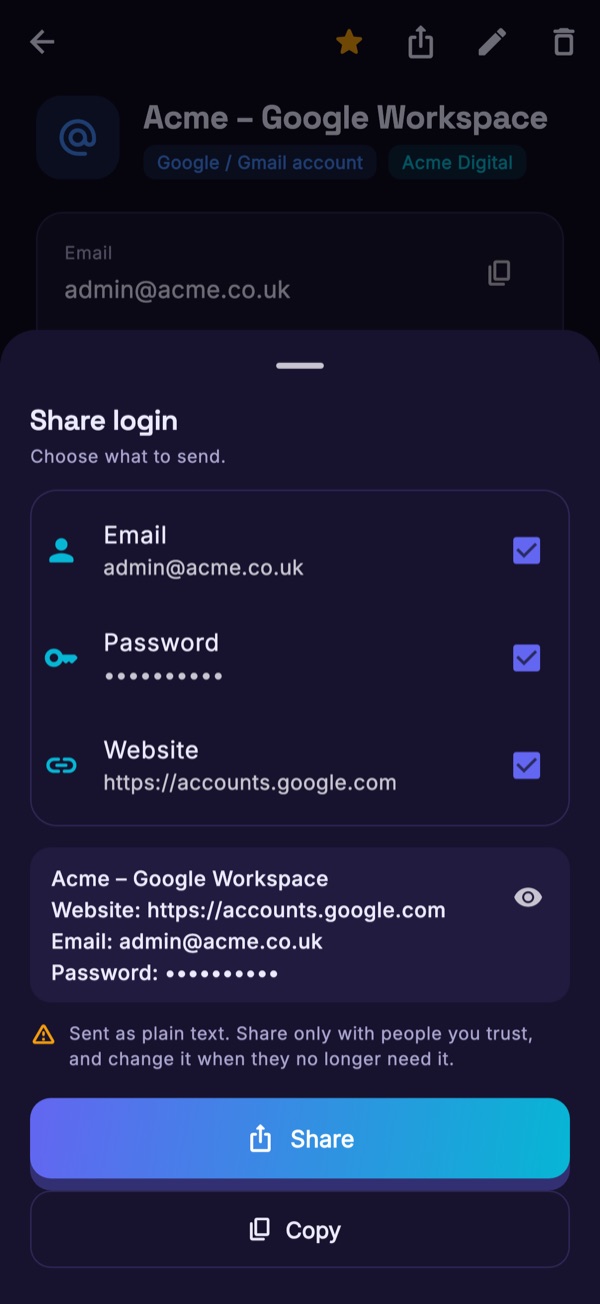
Need to send one login to a colleague or client? After a biometric check, share its username, password and website as plain text through your phone's share sheet, or copy it. You choose the app it goes to.
Optionally check your passwords against Have I Been Pwned. Only the first 5 characters of each password's SHA-1 hash leave your device; the match is made on the device.
Password, passphrase and API-key generator. Copy or export .env files. Attach certificates, keystores and service-account JSON (Pro).
Keyvane plugs into the autofill system built into your phone or Mac, so you rarely need to open the app to sign in.
Keyvane works as an Autofill service and with Credential Manager. It fills and saves passwords in apps and browsers, and supports passkeys on Android 14 and later.
Keyvane is an AutoFill credential provider, so your logins appear above the keyboard and in Safari. It fills logins, and on iOS 26.2 and later it can also save new ones when you sign up or change a password (they are added to your vault the next time you open Keyvane). On Mac, new passwords are added in the Keyvane app.
How it stays private. Autofill uses a separate, encrypted index of your logins that stays on the device and is unlocked with your fingerprint, face or device passcode. It never leaves the device.
One vault and the same end-to-end encryption on every device. Start on your phone, carry on at your desk, and fill logins in your browser.
iOS and iPadOS
macOS
Phones and tablets
Windows 10 and 11
Any modern browser
Chrome, Edge, Firefox, Safari
Your vault is a single documented .kvault file: JSON on the outside, encrypted on the inside. The format and the encryption are specified so that anyone can verify them or write their own reader. If Keyvane disappeared tomorrow, your data would still open.
An external security audit and the publication of the core library as open source are on the roadmap before public launch.
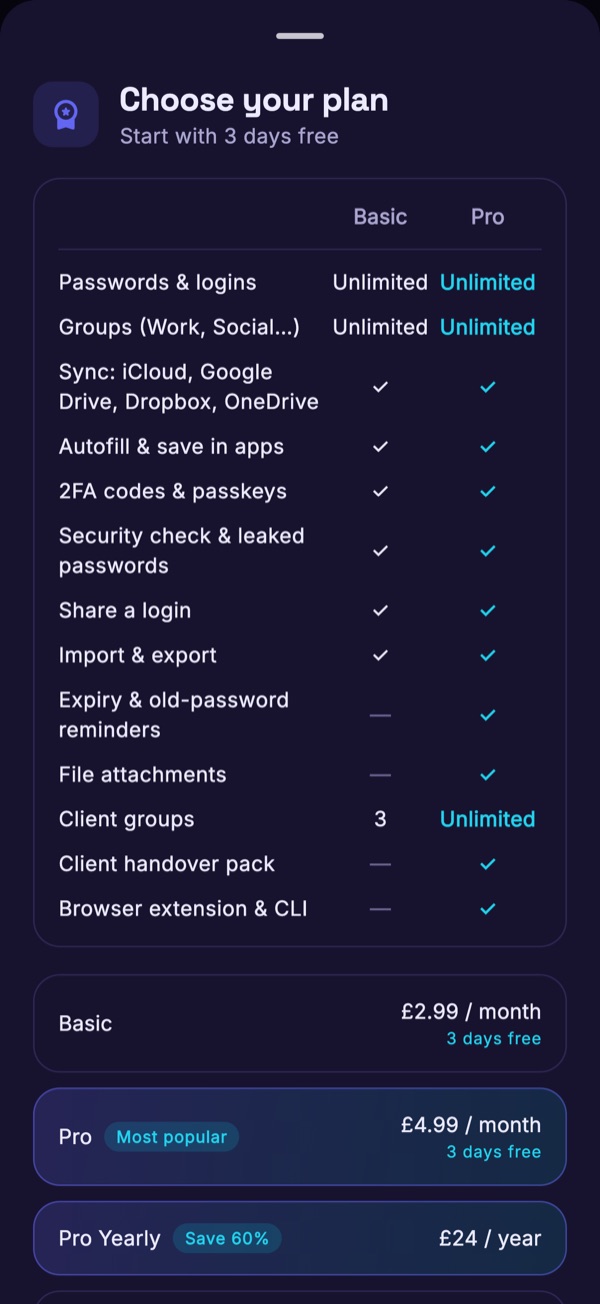
.env files.envStart with 3 days free on Basic or Pro, then pay monthly, or buy Pro by the year or once for life. Prices in pounds sterling, including VAT where it applies. Every plan keeps your vault end-to-end encrypted in storage you choose.
£2.99 / month
3 days free, then £2.99 a month
£4.99 / month
3 days free, then £4.99 a month
£24 / year
Save 60% compared with Pro monthly
£99 once
One-off payment
Plans are bought only in the app, through Apple App Store in-app purchase or Google Play Billing, using your store account (including Apple Pay or Google Pay). There is no checkout on this website and TechHigh never handles your payment. Purchases are available on iPhone, iPad, Mac (Mac App Store) and Android; purchasing in the Windows and web apps is coming later. The 3-day free trial becomes the paid monthly plan automatically unless you cancel in your App Store or Google Play account at least 24 hours before it ends. Subscriptions renew until cancelled; manage or cancel them in your store account, and request refunds from Apple or Google. Prices in other currencies are set by the store.
Without an active plan, your vault stays yours. If you have not started a trial, or your trial or subscription has ended, Keyvane is read-only: you can still open, view, copy and export your passwords, but you cannot add, edit or delete items, create groups, import, or turn on autofill until you subscribe. Your vault is never deleted or held back.
 Download
Free for 3 days on Basic or Pro, then from £2.99 a month. One purchase covers your iPhone, iPad and Mac.
Keyvane is launching soon on the App Store, Mac App Store and Google Play. These buttons become download links as each store goes live. Want an email when it does? Tell us.
Use the master password written on your Emergency Kit. If you have lost both the password and the kit, the vault cannot be opened by anyone, including TechHigh. There is no reset link, because a reset link would mean someone else could open your vault too.
It is a long random code your device generates at sign-up. It is kept in your device's secure keychain, so day to day you only need your master password or biometrics. On Apple devices it is also saved in your iCloud Keychain, so a new iPhone, iPad or Mac only asks for your master password. On Android and Windows you scan the QR code on your Emergency Kit, or type the key, when you set up a new device. Keep the printed kit somewhere safe.
No. TechHigh runs no server that receives your vault, and there is no Keyvane account. Your vault is encrypted on your device and saved directly to the storage you chose, which only ever holds an encrypted file. TechHigh never receives your master password, Secret Key or vault contents. See the Privacy Policy.
Yes. The vault lives on your device and opens, edits and autofills without a connection. Changes sync and merge when you are back online.
No, only what you choose to give them. You can share a single login through your phone's share sheet, or, with Pro, give them a handover pack: an encrypted file with just their accounts.
Not yet. Team sharing is planned. Today each vault belongs to one person, and you can share individual logins as described above.
No. Basic and Pro each start with a 3-day free trial, started in the app through the App Store or Google Play. After that Keyvane costs from £2.99 a month (Basic), or £4.99 a month, £24 a year or £99 once for Pro. If you don't want to continue, cancel in your store account at least 24 hours before the trial ends.
Plans are bought inside the app through the Apple App Store or Google Play. There is no web checkout, and TechHigh never sees your card details. To cancel, turn off renewal in your App Store or Google Play subscription settings; refunds are handled by Apple or Google.
Keyvane becomes read-only. You can still open, view, copy and export your passwords at any time, but you cannot add, edit or delete items, create groups, import, or turn on autofill until you subscribe again. Your vault is never deleted or held back, and export is always possible.
You can, and many do. Keyvane adds the structure client work needs — clients, projects, environments, account ownership, who holds the 2FA, expiry dates, handover — and lets you keep the data in storage you already control rather than on a vendor's servers.
The file format and encryption are documented publicly on the Security page. Publishing the core library as open source, together with an external audit, is planned before public launch.
No. This website sets no cookies and loads no analytics. The app contains no analytics, advertising or crash-reporting code and sends no usage data. Reminders are local notifications created on your device. See the Privacy Policy.