 PhoneLock
Sell phones on installment, without the risk.
For shops that sell Android phones on installment. If a payment is missed, the shop can lock the phone remotely until it is paid, with no root needed. One platform runs many shops, each under its own brand.
Android device app · Mobile-first web dashboard · English and Urdu
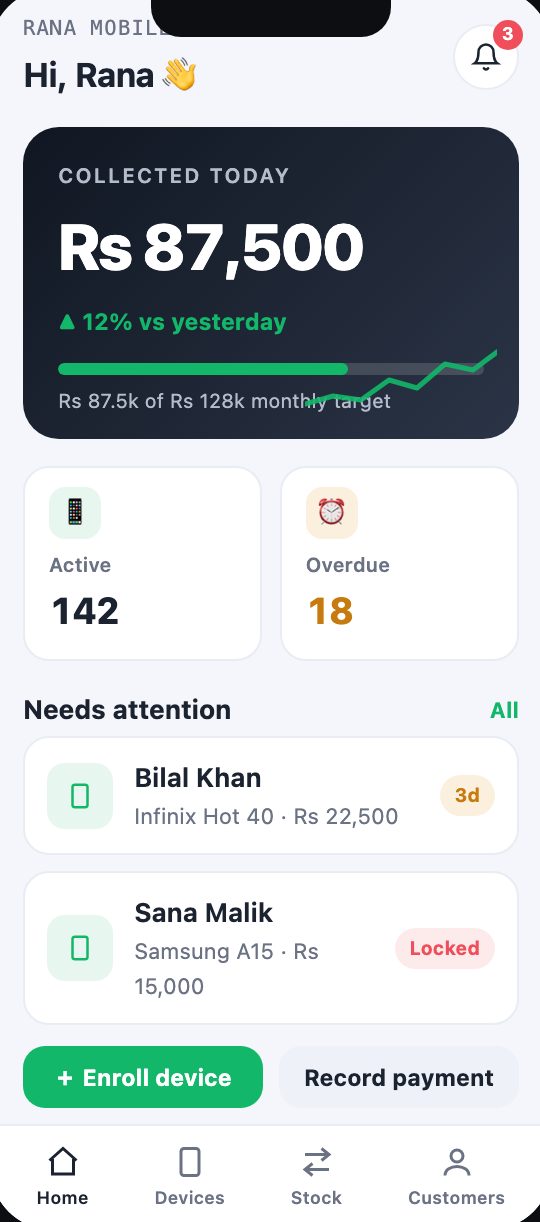
Lock or unlock a phone in one tap from the shop's phone.
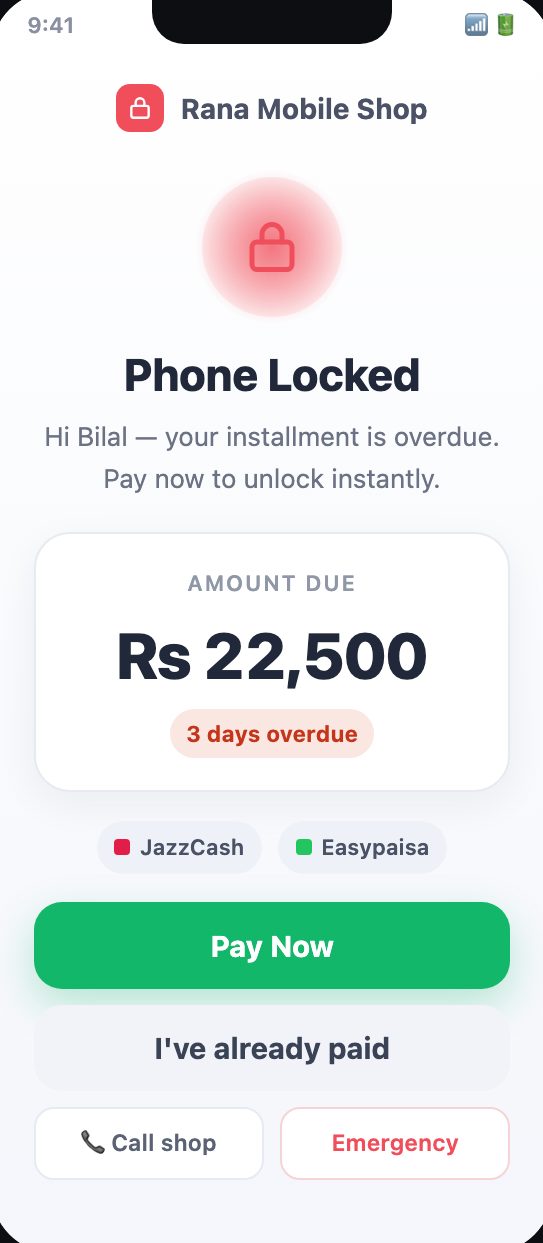
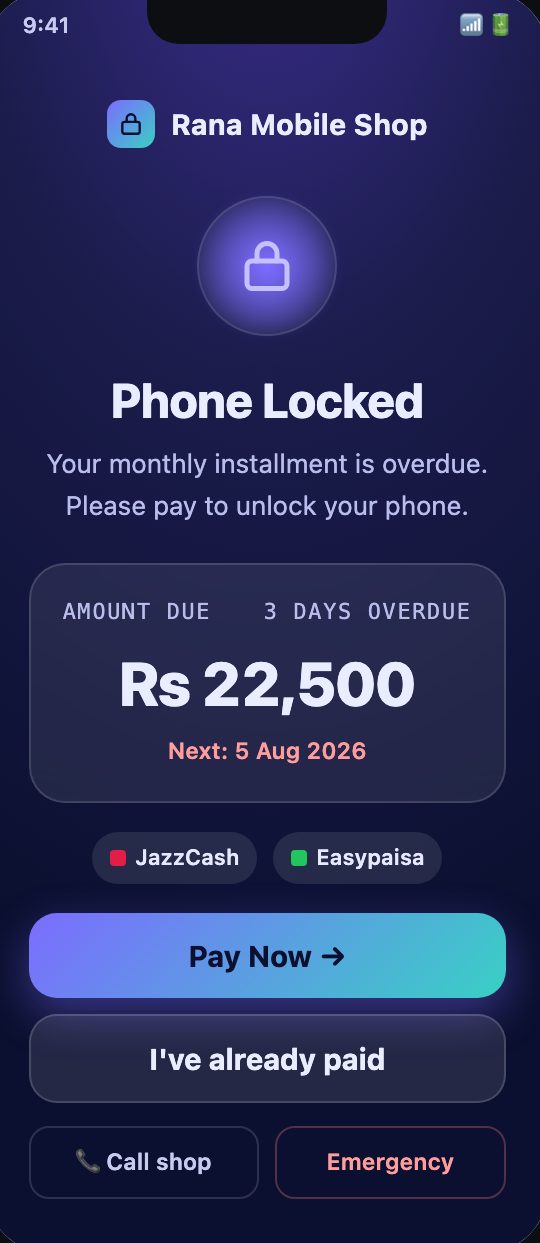
A friendly lock screen with one-tap payment and emergency calls.
JazzCash and Easypaisa straight from the lock screen.
Each shop has its own brand, staff and data.
Features
Everything in PhoneLock
Device Owner app
A native Android app enrolled with a QR code as the device owner, using Android's own device policy controls. No rooting.
Remote & offline locking
Lock or unlock a phone instantly from the dashboard, with locking that still works when the phone is offline.
Friendly lock screen
Shows the shop's brand, the amount due and days overdue, with Pay now, "I've already paid", Call shop and Emergency always available.
Local payments
Customers pay through JazzCash or Easypaisa straight from the lock screen.
Payment claims
When a customer taps "I've already paid", the shop sees a claim to check and confirm, then unlocks in one tap.
Dealer dashboard
Collected today against the monthly target, active and overdue devices, and a "needs attention" list with one-tap lock and unlock.
Lock alerts
Phones about to lock are flagged hours ahead, so staff can call the customer first.
Customers & stock
Enrol devices, record payments, and keep customers, installment balances and phone stock in one place.
Multi-shop SaaS
One platform, many shops. A super-admin console handles shops, billing and plans; each shop only sees its own data.
White-label
Every shop gets its own name, logo and colours on the lock screen and dashboard.
English & Urdu
Full Urdu, right to left, for customers and shop staff.
Light & dark themes
Clean Light and Midnight themes that users can switch between.
See PhoneLock in action
How it works
Up and running in four steps
Enrol the phone
Scan a QR code when you set up the phone so the PhoneLock app is installed as device owner.
Sell on installment
Record the customer, the phone and the installment plan in the dashboard.
Track payments
See what was collected today, what is overdue and which phones are about to lock.
Lock if needed
If a payment is missed, the phone locks until it is paid, then unlocks in one tap.
Who it's for
Built for
FAQ
Questions people ask
Does the phone need to be rooted?
No. PhoneLock uses Android's own device owner controls, set up with a QR code.
Can customers still make emergency calls?
Yes. Emergency calls and calling the shop are always available on the lock screen.
How do customers pay?
Through JazzCash or Easypaisa from the lock screen, or by tapping "I've already paid" so the shop can confirm.
Does it work on iPhone?
No. PhoneLock is for Android phones.
When is it available?
PhoneLock is in development. Register your interest and we will contact you when it is ready.
Get PhoneLock for your shop
PhoneLock is in development. Register your interest and we will contact you as soon as it is ready.
More from TechHigh
 Rentacar
 RotaDesk
 Keyvane
 GoGirl
 DeenDost apps
 QR Scanner
 Expense Manager
 Smash Yard