 RotaDesk
Rotas, clock-in and orders, sorted in one place.
Rota, clock-in, leave and catering orders in one place for restaurants and shops. Managers plan the week on the web dashboard; staff check shifts, clock in and request leave from the app.
Web dashboard · iOS and Android staff app · 21 languages
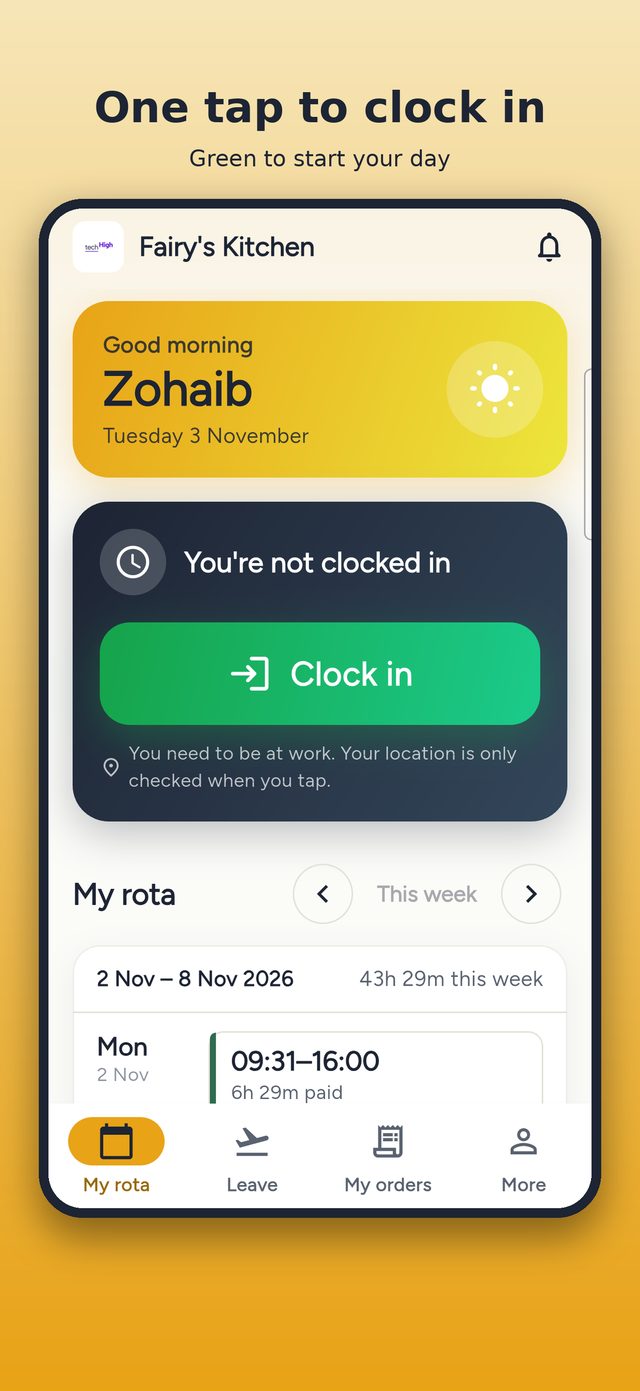
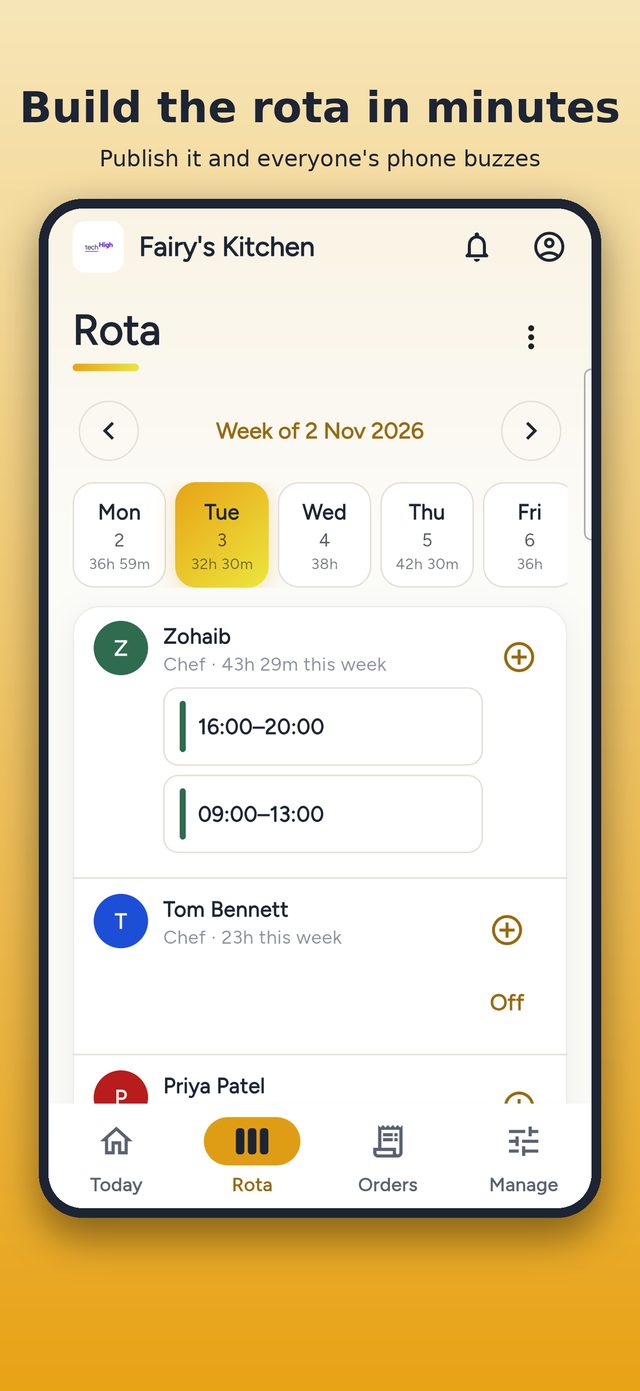
Copy last week, adjust and publish. Everyone's phone buzzes.
Each shop has a radius on a map, checked on the server.
Requests come straight to the manager to approve.
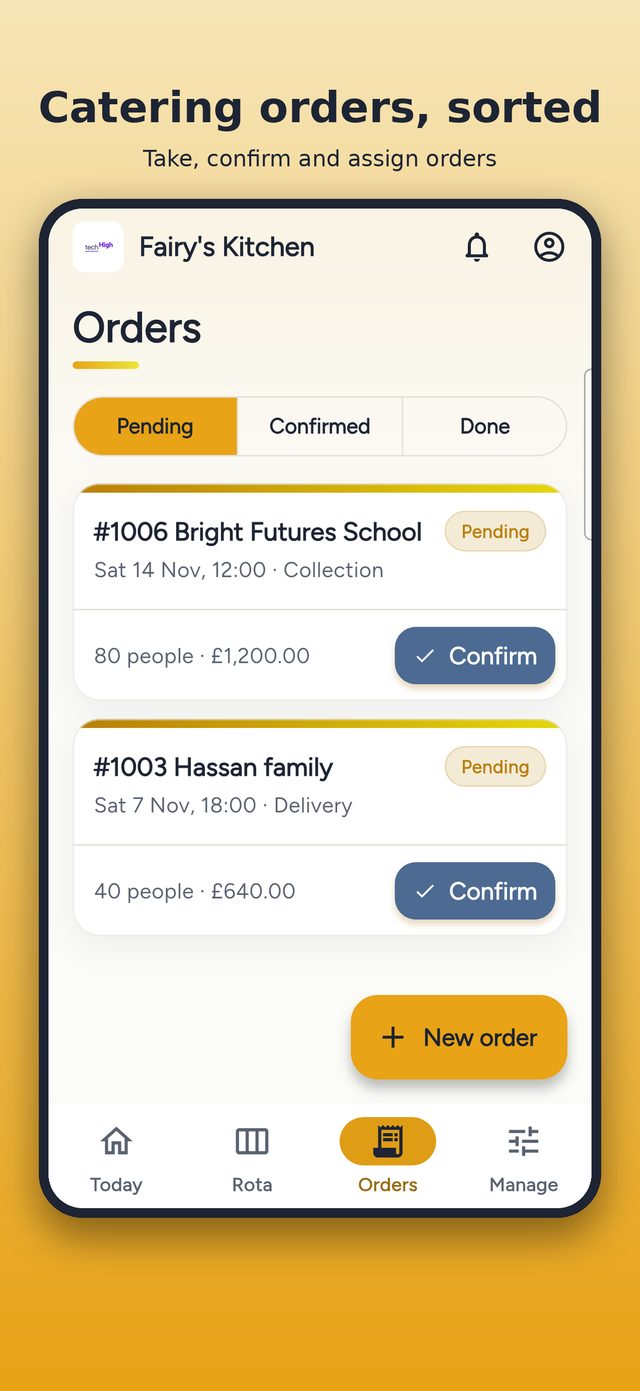
Orders, kitchen board and a prep sheet for the day.
Features
Everything in RotaDesk
Weekly rota
Add shifts, copy last week (skipping anyone on leave) and publish. Drafts stay hidden from staff, and changes to published shifts notify the person automatically.
Clock-in at work only
One-tap clock in, clock out and breaks. Each location has a radius set on a map, and the check runs on the server so it can't be bypassed.
Who's in today
Managers see the whole team at a glance: who is on the rota, who has clocked in and who is late.
Leave
Holiday and sick requests come straight to the manager for one-tap approval, with days off and upcoming leave in one list.
Hours & payroll
Timesheets with paid hours and breaks, corrections that need a reason and are written to an audit log, and payroll export.
Roles & permissions
Choose exactly what each person can manage: rota, leave, hours, staff, orders, prices, menu or locations. Enforced in the database.
Catering orders
Menu, dishes and catering packages, order booking with numbering from #1001, confirm and assign to staff, with a calendar view.
Kitchen board
A live board of new, in-kitchen and ready orders so the kitchen always knows what is next.
Prep sheet
Adds up every dish, unit and spice level for the day across all orders, ready to print.
Staff & documents
Staff profiles, job titles and rates, with documents kept in private storage behind links that expire after two minutes.
Multi-business
Many businesses and locations, each with its own branding, plus a super-admin console to approve, pause and manage them.
21 languages
English, Urdu, Arabic, Polish, Spanish, Portuguese, Hindi and more, chosen per business or per phone.
See RotaDesk in action
How it works
Up and running in four steps
Add your business
Create your business and locations, and set each clock-in radius on the map.
Add your team
Add staff with job titles and rates, and choose what each person can manage.
Publish the rota
Build the week, copy last week and publish. Staff see their shifts in the app.
Track hours and orders
Staff clock in at work, you approve leave, export hours and run catering orders.
Who it's for
Built for
FAQ
Questions people ask
Can staff clock in from home?
No. Clock-in is checked on the server against each location's radius, so it only works at the shop.
Do staff see the rota before it is ready?
No. Drafts are hidden until you publish, and changes to published shifts notify the person.
Can managers see wages?
Only if you allow it. Prices and pay are off by default and controlled by permissions.
Can I run more than one location?
Yes. Add as many locations as you need, each with its own clock-in radius.
Which languages are available?
21 languages, including English, Urdu, Arabic, Polish, Spanish, Portuguese and Hindi.
Try RotaDesk with your team
Start free on the web, or book a demo and we will set up your first rota with you.
More from TechHigh
 Rentacar
 Keyvane
 PhoneLock
 GoGirl
 DeenDost apps
 QR Scanner
 Expense Manager
 Smash Yard