 QR & Barcode Scanner
Scan any code, then design your own.
A fast QR and barcode scanner that works offline, plus a QR Designer for beautiful codes with your brand logo in the middle.
Android
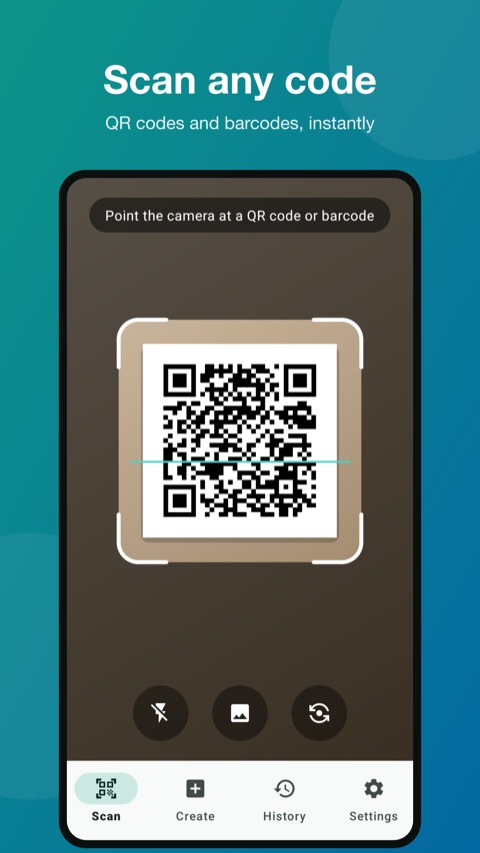
Scanning happens on your phone, with no upload.
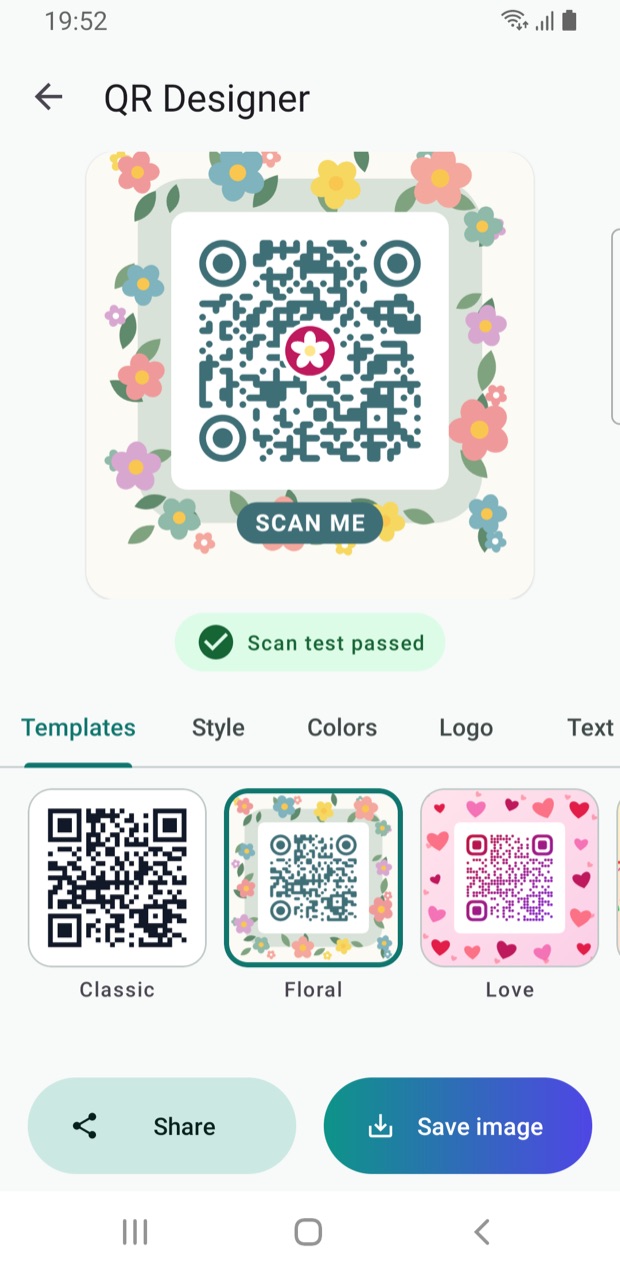
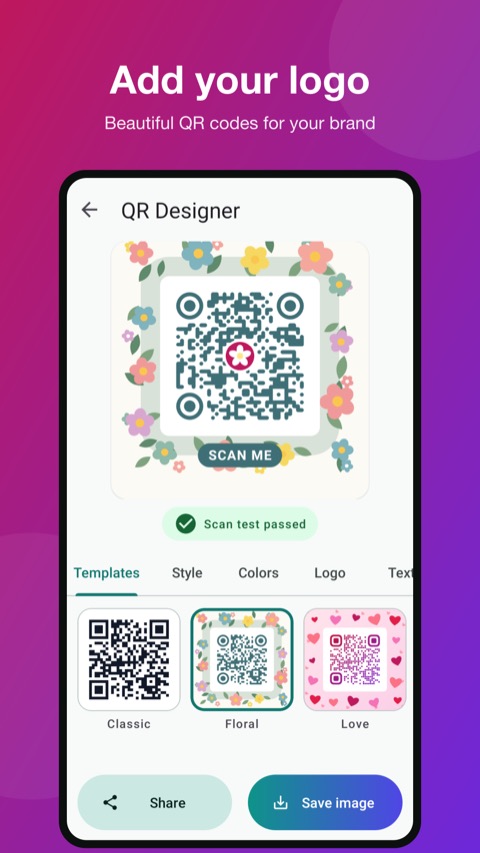
Templates, colours and your logo.
Every design is tested as you edit.
Your history never leaves the device.
Features
Everything in QR & Barcode Scanner
Scan anything
QR codes and barcodes with the camera, or from an image on your phone.
Scans stay on your phone
Scanning runs on the device and works offline. Nothing is uploaded.
Create your own codes
Links, Wi-Fi, contacts, text and more, ready to save or share.
QR Designer
Designer templates, shapes and colours, with your logo in the middle.
Live scan test
Every design is checked while you edit, so your QR code always scans.
History & favourites
Search your scan history and star the codes you use most. Stored on the device only.
Save & share
Save codes as images or share them straight to any app.
Fair ads
Ads never appear on launch or while you scan, and are limited to after you create or save.
See QR & Barcode Scanner in action
How it works
Up and running in four steps
Point and scan
Open the app and point the camera at any QR code or barcode.
Act on it
Open the link, join the Wi-Fi or save the contact in one tap.
Create a code
Make a code for a link, Wi-Fi, contact or text.
Make it yours
Pick a template, colours and your logo, then save or share.
Who it's for
Built for
FAQ
Questions people ask
Does it work without internet?
Yes. Scanning runs on your phone and works offline.
Is my scan history uploaded?
No. History is stored on your phone only.
Can I add my logo to a QR code?
Yes. The QR Designer lets you add a logo, pick shapes and colours, and checks the code still scans.
Is it free?
Yes. It is free with light ads that never appear on launch or while you scan.
Coming soon to Google Play
The QR & Barcode Scanner is in testing. Want a custom version for your business? Get in touch.
More from TechHigh
 Rentacar
 RotaDesk
 Keyvane
 PhoneLock
 GoGirl
 DeenDost apps
 Expense Manager
 Smash Yard